Unclear pages and forms
Missing labels, confusing headings and unclear link text can make it harder to understand a page or take the next step.
Accessibility remediation for colleges
Turn accessibility findings into practical improvements to your templates, content and documents. We prioritize the work, make the agreed fixes and document what changed.
A scoped implementation service for your existing website.
Finding a program, requesting information or reading a campus policy should not depend on how someone sees, moves or navigates. Remediation focuses on the website details that can get in the way.
Missing labels, confusing headings and unclear link text can make it harder to understand a page or take the next step.
Controls without visible focus and inconsistent templates can make common journeys harder to follow.
PDFs and other campus documents need attention too. Their structure and tagging are part of the remediation scope we discuss with you.
Example 01: forms
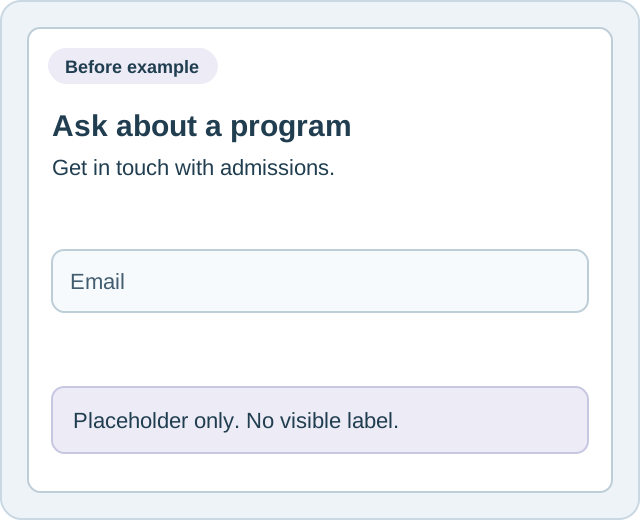
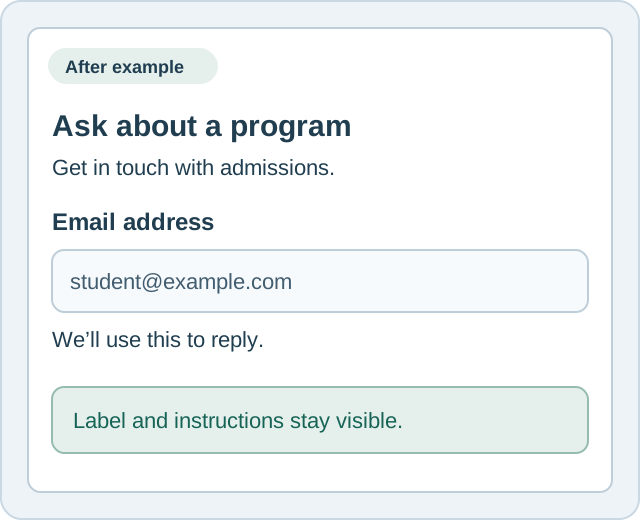
A visitor asking about a program should know what a field needs before they start typing. A placeholder alone is not a substitute for a label.
The implementation matters: associate a visible label with its field and connect helpful instructions programmatically. These illustrations show the idea without adding a working form.
Example 02: navigation
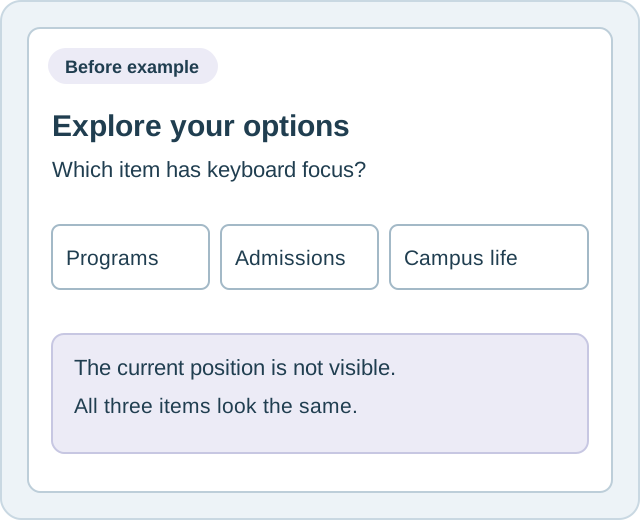
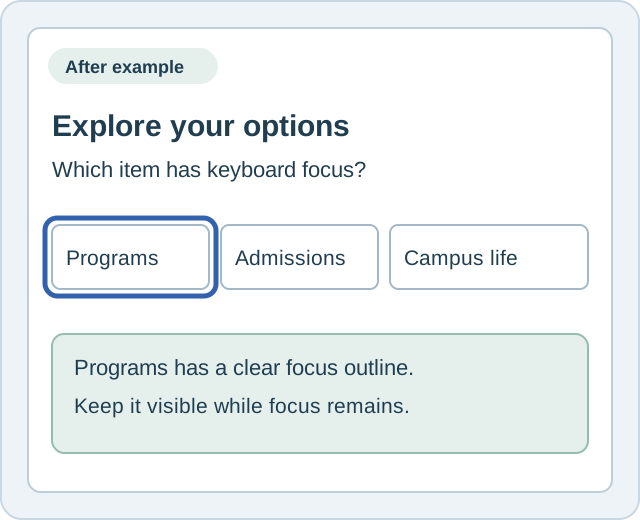
Students and staff may move through a website with a keyboard instead of a mouse. A visible focus indicator helps them follow their position.
A focus style is one part of the work. The underlying control also needs appropriate semantics, keyboard operation and a logical focus order.
The work behind the improvement
We scope changes around your platform and findings. Shared template fixes can reach the pages that use them, while page-specific content and documents receive their own attention.
Correct agreed accessibility issues in the underlying theme, shared components and page templates, rather than repeating the same patch page by page.
Address identified issues in headings, labels, links and other page content. The examples show common patterns; your findings determine the actual work.
Include document remediation and tagging in the agreed scope. Confirm the document inventory, priorities and source-file access before work starts.
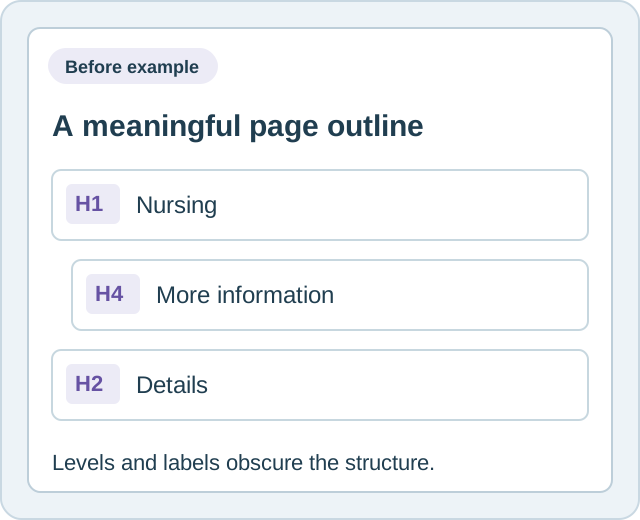
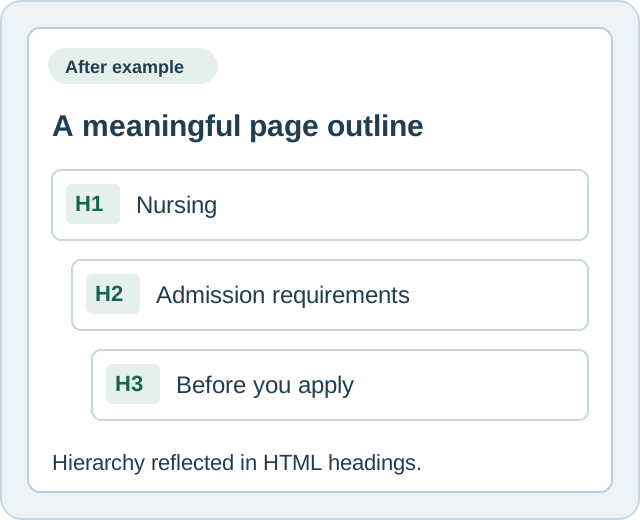
Example 03: page structure
A program page needs a clear title and meaningful sections. Headings help people scan a page and allow assistive technology to navigate its structure.
Use actual heading elements that reflect the content hierarchy. Changing font size alone does not create a semantic heading.
A practical remediation process
Establish a baseline from scan findings and the agreed website and document inventory. Confirm the platform, access and affected areas.
Order the work by visitor impact and the reach of shared templates. Agree on the issues, documents and responsibilities covered by the project.
Implement the agreed template, page and document corrections in your stack. Map each issue to the relevant accessibility criterion.
Rescan after fixes and record the changes and results. Keep unresolved findings visible so the next actions and ownership are clear.
What your college receives
The agreed scope identifies the properties, templates, pages and documents included. Your project record connects the findings to the corrections and follow-up results.
These examples illustrate individual improvements. Neither a few fixes nor a scan score establishes conformance for an entire website.
Automated scanning helps identify testable issues and repeat checks. It cannot find every accessibility barrier.
Manual evaluation uses human judgment to assess accessibility beyond automated checks. A comprehensive manual audit is a distinct scope, not an implied inclusion in this remediation service.
Remediation changes the website or document itself. Our service focuses on the agreed corrections and their verification record.
Ongoing monitoring checks for new findings as a site changes. It supports an ongoing program and does not replace human evaluation.
Learn about W3C accessibility evaluation guidance .
We need an owner for priorities and approvals, access to the relevant systems and accurate source content. Your college remains responsible for content decisions and for maintaining accessibility as new pages, documents and media are published.
Identify important student journeys, document owners and any known barriers. Confirm what belongs in this project and what needs a separate scope.
Provide access and source materials, resolve content questions and review changes with the people responsible for your website.
Apply accessible publishing practices to new content. Assign responsibility for future findings and any evaluation beyond the agreed remediation scope.
Separate platform and subscription
GuardGrid provides automated accessibility scanning and ongoing web governance monitoring. It can help surface new findings after pages and templates change.
College Inbound provides the scoped remediation work. GuardGrid is a separate platform and subscription; we confirm any related access or costs before the project starts.
Frequently asked questions
Public-college accessibility planning guide
Yes. We work with templated CMS platforms, static sites and custom applications. We review your stack and access before confirming the scope, and prioritize shared theme and template fixes where appropriate.
Yes. PDF and document remediation, including tagging, is part of the existing service offering. We agree on the inventory and priorities and include the completed document work in the project record.
We establish a baseline from scan findings and the agreed properties, templates, pages and documents. That baseline helps prioritize remediation. Automated findings are not a comprehensive accessibility evaluation; any additional evaluation requirements need to be identified during scoping.
A comprehensive manual audit is not an implied inclusion in this remediation service. Human evaluation is needed to assess accessibility beyond automated tests. We clarify the evaluation scope and who is responsible before work starts.
We rescan after corrections, map issues to the relevant accessibility criteria and retain a dated record of changes and results. The record documents the agreed work and follow-up findings. It is not a certification or a legal compliance guarantee.
Provide website access, document source files where needed, a contact for priorities and approvals, and accurate content. Your team remains responsible for content decisions and for maintaining accessibility as the site changes.
GuardGrid is a separate platform and subscription. We confirm any scanning access or subscription costs during scoping. It can support ongoing monitoring after the project, while remediation is the work of correcting the website or documents.
We review the platform, issue types, document inventory, access and priorities before defining the project. The agreed scope determines the work, responsibilities, schedule and fee.
Tell us about your website, documents and priorities. We’ll discuss the scope, responsibilities and next steps for remediation.
info@collegeinbound.com